Paint and insulation quantities from piping ISOs
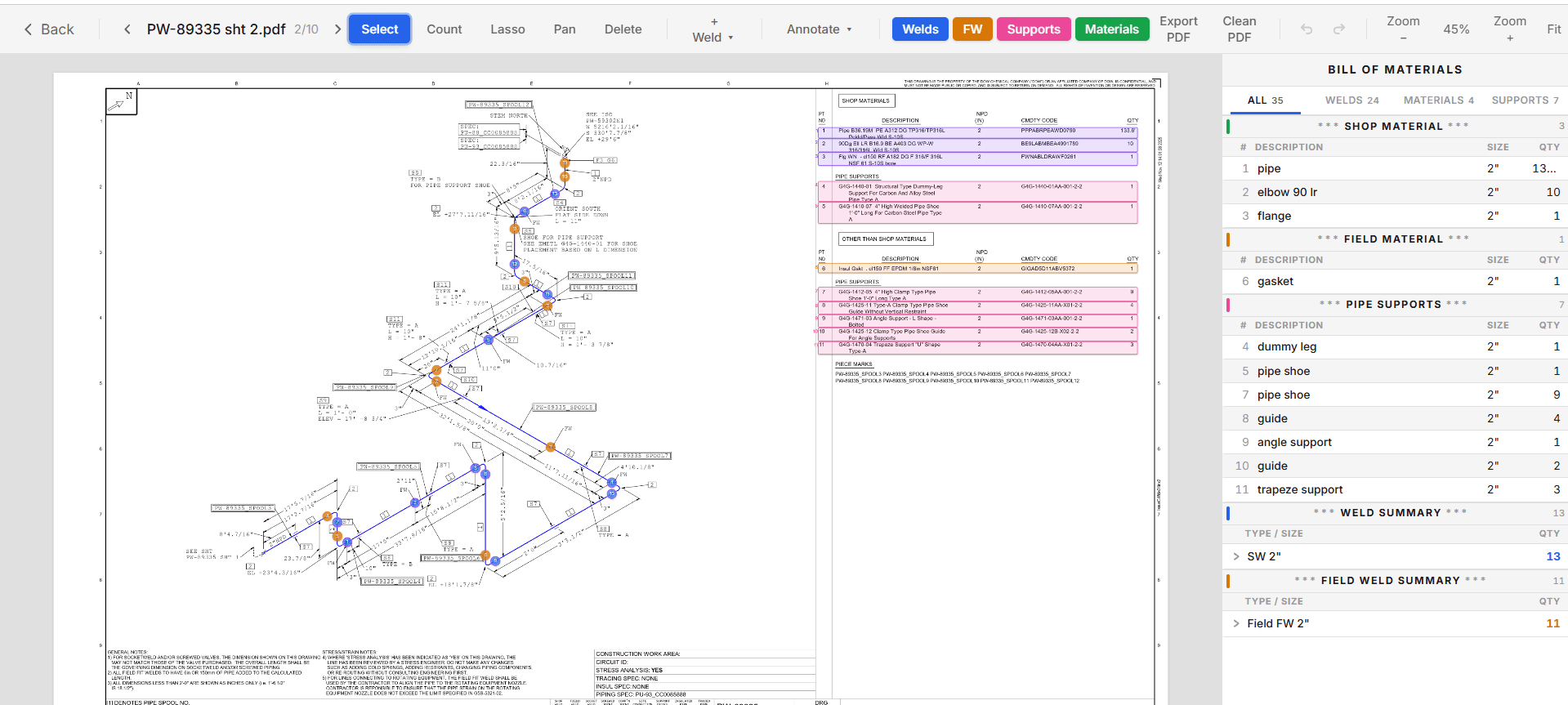
TakeOffTrak reads the materials on each ISO and turns them into paint square footage and insulation equivalent lengths, by drawing and pipe size.
Paint: surface area by drawing and size
Pipe area is the pipe's outside diameter times pi times its length. Fittings and flanges are converted to an equivalent length of pipe and added the same way. Flange faces are added by pressure rating, and support area is added on top.
The result is square feet per drawing per pipe size, with the paint spec next to it.
Insulation: equivalent length and cutouts
For insulation, TakeOffTrak gives you equivalent linear feet per drawing and size. Fittings and flanges are converted to equivalent lengths, so the number you price from already carries them. Support cutouts are counted on the same row.
The spec is matched for you
Load your paint and insulation specs once. TakeOffTrak matches each drawing to a spec from the title block or from the line list. Where neither one says, set the spec by hand.
Then set the scope. Toggle items in or out on each drawing, and the totals follow.
What lands in Excel
| Column | Paint | Insulation |
|---|---|---|
| Drawing and NPS | Yes | Yes |
| Spec | Paint spec | Insulation spec |
| Component counts | Pipe, fittings, and flanges by type | Pipe, fittings, and flanges by type |
| Quantity | Square feet and equivalent linear feet | Equivalent linear feet |
| Cutouts | Yes | Yes |
One row per drawing per pipe size, so you can check any total against the ISO it came from.
Common questions
- Where does the paint or insulation spec come from?
- From the title block or the line list, matched against the specs you load. You can set or change it by hand on any drawing.
- Do I need a line list?
- No. If the title block has no paint or insulation spec, the line list can supply it, or you set it by hand.
- How do I check a total?
- Each row shows the component counts behind its total, for one drawing and one pipe size. Open that ISO and the items are marked on the drawing.
Keep reading
- Piping MTOTurn the BOM on every piping ISO into an Excel MTO, split shop and field. Each row is highlighted on the drawing it came from, so every quantity traces back.
- Pipe support takeoffCount shoes, guides, dummy legs, and other pipe supports from the ISO BOM, flag the rows that need a check, and export support quantities to Excel.
- What is a piping MTOWhat a piping MTO is, what goes in one, how it differs from a BOM, and how to build one from the BOMs on a set of ISO drawings.
- How to take off a piping ISOA piping takeoff from ISO drawings, step by step: title block, BOM, shop and field split, weld count, supports, and the MTO rollup.